



Understand What Accessibility Brings to Your Documents
Learn how to make document Accessible & Reusable
How Do You Make Documents Accessible?
Follow the accessibility best practices.
Build document structure:
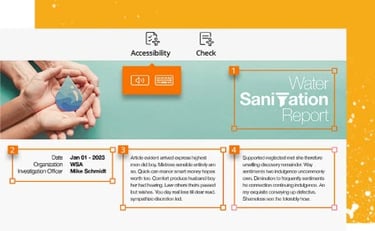
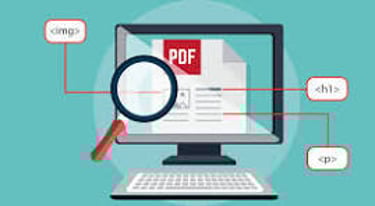
To make documents easier for screen readers to process correctly, documents should be structured with heading hierarchies; table headings, rows, and identified columns; and to use lists when possible.
Add alternative text:
Add alternative text (Alt Text) to accompany images, which are a quick description of an image. Images that do not require Alt Text are those that are purely decorative.
Foxit’s ADA Compliance:
The US Department of Justice published the Americans with Disabilities Act (ADA) Standards for Accessible Design to ensure that all electronic and information technology is accessible to people with disabilities.
Ensure colour contrast:
Contrast refers to the variance in colour between text and its background. To ensure strong contrast, always use a dark text against a light background or vice versa.
Remediate and tag PDFs:
Contrast refers to the variance in color between text and its background. To ensure strong contrast, always use a dark text against a light background or vice versa.
SALES & Support
SUBSCRIBE US
Email: sales@turbopdf.co.uk
WhatsApp Chat: +44-7548884767
© 2025. All rights reserved. TurboPDF
Products
TurboPDF v4 - Lifetime
TurboPDF v4 - Annual
TurboPDF v4 - Enterprise
TRUST CENTERS
POPULAR FEATURES
AI Assistant
PDF Creator
PDF Software
Edit PDF
Split PDF
Annotate PDF
Scan to PDF
Sign PDF
Protect PDF
Accessibility
Foxit Compliance
OCR
Conversion Tools
Security and Protection
Forms and Signatures
Document Collaboration
PDF SOLUTIONS
Paperless Office
PDF Accessibility
Education Solutions
Government Solutions
Banking Solutions
Insurance Solutions
Legal Solutions
Healthcare Solutions
Manufacturing Solutions
IT Services
Address: 40-43 Jewry Street, Winchester, SO23 8RY, United Kingdom